KeePass
Free, open-source password manager with a local, encrypted database.
open source desktop download
What it is
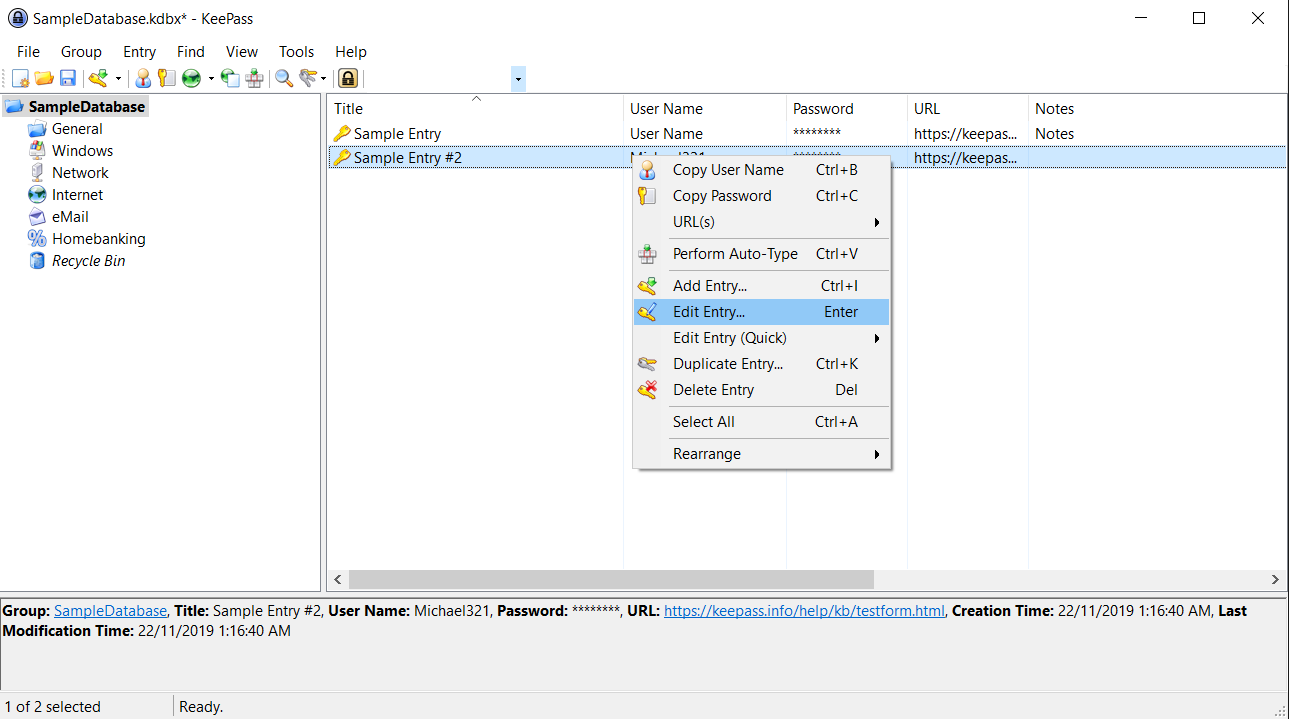
KeePass is a free, open-source password manager. It keeps an encrypted local database (AES / ChaCha20) under a master password or key file — a way to store server and admin credentials without a cloud, with plugins and auto-type.
Problems it solves
- Admin and server credentials must be stored securely, not in a spreadsheet or a notes file.
- You want a password vault with no cloud dependency.
- A small team needs shared secrets kept in an encrypted, portable file.
How administrators use it
- Keep an encrypted .kdbx database under a master password or key file.
- Organise entries and use auto-type to fill logins.
- Store the database on a share, or sync it yourself, for team access.
Strengths & trade-offs
Strengths
- Free, open source and widely audited.
- Local and offline — no cloud required.
- Plugins and auto-type.
Trade-offs
- The official client is Windows (community ports cover other OSes).
- You manage sync and sharing yourself.
Questions
Is KeePass cloud-based?
No — it is a local encrypted database file that you control and store wherever you like.
Can a team share one database?
Yes, via a shared or synced file — just mind concurrent edits.
Alternatives
ManageEngine ADManager Plus
Web-based Active Directory management, delegation and reporting.
freemium desktop download
Sysinternals Suite Microsoft’s free toolkit for deep Windows diagnostics and troubleshooting.
freemium desktop download
ESET PROTECT Endpoint protection and EDR managed from a cloud or on-prem console.
paid · trial hybrid