Sysinternals Suite
Microsoft’s free toolkit for deep Windows diagnostics and troubleshooting.
freemium desktop download
What it is
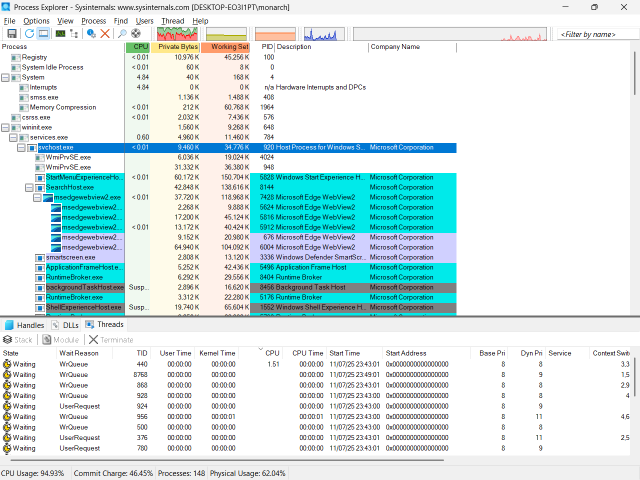
Sysinternals Suite is a set of dozens of free Microsoft utilities for Windows diagnostics and monitoring (Process Explorer, Autoruns, Process Monitor, PsExec). It gives deep insight into processes, startup items, connections and file activity, and is indispensable for incident investigation.
Problems it solves
- Windows Task Manager is not enough to diagnose a misbehaving process.
- You need to see exactly what loads at startup, or what a process touches.
- A command needs running on a remote machine quickly.
How administrators use it
- Use Process Explorer and Process Monitor to trace processes, handles and file/registry activity.
- Use Autoruns to audit and clean startup items.
- Use PsExec for remote command execution.
Strengths & trade-offs
Strengths
- Free, from Microsoft, with deep Windows insight.
- Portable — no installation needed.
- Indispensable for incident investigation.
Trade-offs
- Windows only and aimed at experts.
- A collection of separate tools, not one unified app.
Questions
Is the Sysinternals Suite free?
Yes — it is free from Microsoft.
Do I need to install it?
No — the tools are portable executables you can run directly.
Alternatives
KeePass
Free, open-source password manager with a local, encrypted database.
open source desktop download
Wireshark The standard packet analyser for capturing and dissecting network traffic.
open source desktop download
Nessus (Tenable) Popular vulnerability scanner; free Essentials for up to 16 IPs.
freemium desktop download